How to Get Oil Change Required Reset: Step-by-Step Guide
Learn how to reset the oil change required light after an oil service. This educational guide covers model-specific methods, safety tips, and best practices from Oil Capacity Check to keep maintenance tracking accurate.


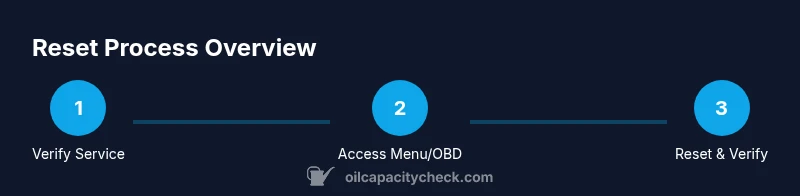
To get oil change required reset, follow model-specific steps after completing the service. This quick guide covers how to get oil change required reset using the vehicle’s maintenance menu, an OBD-II tool, or a battery disconnect method. Always verify the reset by checking the oil level and confirming the dash shows no maintenance warning.
What the Oil Change Required Light Really Indicates and How to Get Oil Change Required Reset
The oil change required light is a maintenance indicator that tells you your vehicle’s oil life or service interval has reached its programmed limit. It does not tell you the oil is currently bad, but it signals you should plan an oil change soon. In this guide, we cover how to get oil change required reset after completing the service, so your dash reflects accurate maintenance status. According to Oil Capacity Check, performing a proper reset is essential to prevent confusion and ensure future reminders line up with your service history. The reset method varies by make and model, but common approaches include using the vehicle’s maintenance menu, an OBD-II scanner, or, in older cars, a battery disconnect method. Regardless of method, you should always verify that the reset has taken effect and that the oil level is within spec before driving the car again. This ensures your maintenance history remains clean and helps avoid unnecessary service warnings in the near term. By understanding the reset process, you’ll reduce guesswork and maintain confidence in your dashboard indicators. Oil Capacity Check’s guidance emphasizes aligning the reset with actual service and confirming proper oil levels after completion.
Prerequisites and Safety Checks Before Resetting the Indicator
Before you attempt a reset, confirm that the oil change has actually been completed and that the new oil meets your vehicle’s specifications. Gather the essential tools and read your owner’s manual for model-specific steps. Ensure the engine is cool before handling any components near the oil system. If your vehicle supports an on-board reset, you may need to navigate menus while the ignition is in a specific position; otherwise an external tool may be required. Safety first: never perform resets while the engine is hot, and avoid tampering with electrical systems unless you’re confident in your procedure. Oil Capacity Check analysis shows that a careful approach—verifying service completion and oil specification—reduces the chance of invalid maintenance warnings. Keep a log of the date and mileage for your records after any reset.
Reset Options by Vehicle Type: Menu, OBD-II, or Battery Reset
Many modern vehicles permit a reset through the on-board maintenance or oil life menu. You’ll typically find a Maintenance or Oil Life option, then select Reset to clear the counter. If your car doesn’t offer a menu reset, an OBD-II scanner with an oil life or maintenance reset function is a common alternative. Some older models rely on a battery disconnect or a specific pedal sequence to trigger the reset. Each method has its own sequence, so consult your owner’s manual and ensure you perform the steps in the correct order. Oil Capacity Check analysis shows that vehicle generation and brand conventions influence which method is supported. Regardless of method, you should verify the indicator returns to normal after completion and perform a quick oil level check to confirm the oil exists at the correct level.
Common Mistakes and How to Avoid Them
One frequent mistake is attempting to reset before an oil change has actually been completed. Another is resetting too soon after topping up oil, which can confuse the monitor. A third pitfall is failing to drive the car for the necessary cycles required for the monitor to recalibrate after a reset. To avoid these, wait until the new oil has been added and the engine has cooled, perform the reset through the correct menu or tool, and take a short drive to allow the system to recalibrate. Oil Capacity Check emphasizes documenting the reset date and mileage to maintain an accurate service history, which helps with future maintenance planning.
After Reset: Verification and Record Keeping
After performing the reset, re-check the oil level and condition. Start the engine and run it for a few minutes to ensure the oil pressure is normal and the engine runs smoothly. Look for any warning lights or abnormal readings. If the indicator remains lit or returns shortly after reset, re-check the reset steps or consult your owner's manual. Keep a maintenance log with the reset date, mileage, oil grade, and service details. This practice aligns with Oil Capacity Check’s recommendation to maintain precise records for future maintenance planning and resale value.
Tools & Materials
- Owner's manual(Check model-specific reset steps and ignition position requirements)
- Compatible OBD-II scanner or code reader(Use if the vehicle doesn’t support menu reset)
- Clean rag(Wipe down surfaces if needed during the process)
- Notebook or digital record(Log reset date, mileage, and oil type)
Steps
Estimated time: 6-12 minutes
- 1
Verify service completion
Confirm that a complete oil change was performed with the correct oil grade and quantity. Check the oil filter installation and oil level on the dipstick while the engine is off and cool. This ensures the reset is based on a real service and prevents false readings.
Tip: Take a quick photo of the oil level after service for your records. - 2
Access the maintenance reset option
Turn the ignition to the ON position (engine off) and navigate to the vehicle’s maintenance or oil life menu. If your model supports it, this is where you’ll find the Reset Oil Life or similar option. Do not press unrelated menu items.
Tip: If you’re unsure of the exact path, consult the owner’s manual or a trusted online guide for your model year. - 3
Select the reset action
Choose Reset or Restart Oil Life to clear the indicator. Confirm any prompts that warn about maintenance history. This action tells the monitor that a service has occurred and should recalculate the next interval.
Tip: If you don’t see a Reset option, proceed to step 4 using an OBD-II tool. - 4
Use an OBD-II tool if needed
If the vehicle menu lacks a reset option, connect a compatible OBD-II scanner and follow its Oil Life or Maintenance Reset function. Ensure the scanner is compatible with your car’s make/model.
Tip: Only use a tool designed to reset maintenance voyers; using generic tools may not work and could cause errors. - 5
Battery disconnect method (older models)
For older vehicles without a menu or OBD-II option, you may perform a battery disconnect reset. This typically involves disconnecting the negative battery cable for a brief period, reconnecting, and then performing a key-on reset. Only attempt if you are confident and it's safe to do so.
Tip: If in doubt, skip this method and use a documented alternative for your vehicle. - 6
Verify reset and finalize
With the ignition in ON and the engine still, verify the maintenance light is off. Start the engine, take a short drive, and observe the dashboard for any warnings. Confirm the oil level is within spec after the drive.
Tip: Document the reset in your service log with date, mileage, and oil type.
People Also Ask
What does the oil change required light indicate, and should I reset it?
The light indicates the maintenance interval has reached its programmed limit. It is not a sign of current oil condition, but if you recently completed an oil change you may reset the indicator following model-specific steps.
The oil light shows maintenance is due. If you just changed the oil, you can reset it using your car’s maintenance menu or an OBD tool, depending on the model.
Can I reset the light on any car the same way?
Reset procedures vary by make and year. Many cars use on-board maintenance menus, some older models require an OBD-II tool or battery disconnect. Always refer to your owner’s manual for model-specific steps.
Most cars have a specific reset path—check your manual or reputable guides for your exact model.
Is it safe to reset the light if I haven’t changed the oil yet?
No. Resetting before an actual oil change can hide a maintenance need and lead to premature engine wear. Reset only after you have completed the service and confirmed the correct oil specification.
No, only reset after you’ve completed the oil change and confirmed the oil level is correct.
What should I do if the light won’t reset?
If the light won’t reset using the menu or an OBD-II tool, re-check that the service was completed with the correct oil type and quantity. Consult the manual or a professional if the issue persists.
If it won’t reset, double-check the service details and consult your manual or a pro.
Do dealers reset the oil change light for you?
Dealers and shops typically reset the light after performing an oil change. If you reset it yourself, make sure you know your vehicle’s exact procedure to avoid conflicts with the maintenance tracker.
Yes, many shops reset it after service. Make sure you know your model’s reset steps if you do it yourself.
How can I verify the reset worked?
Turn the key to run or start the engine, observe the maintenance light status, and take a short drive to ensure the monitor recalibrates. Recheck oil level after the drive.
Start the car and observe the light. Take a short drive to ensure it recalibrates and then recheck oil level.
Watch Video
The Essentials
- Verify service before resetting to avoid false reminders
- Use the vehicle menu or an OBD-II tool for reset
- Document the reset and oil details for future maintenance
- Drive briefly after reset to let the system recalibrate