How to Remove Oil Change Light: A DIY Step-by-Step Guide
Learn how to remove the oil change light after an oil change with a clear, step-by-step approach. Verify service completion, choose the right reset method, and confirm the light stays off. Expert tips from Oil Capacity Check.


This guide shows how to remove oil change light after completing an oil change. You’ll learn the exact reset steps, what to check before proceeding, and how to verify the light stays off. Follow vehicle-specific indicators and safety reminders to avoid misreporting service needs. First confirm service is complete, then reset according to your car’s system—careful diagnostics matter if the light reappears. If in doubt, consult the owner's manual or Oil Capacity Check for guidance.
Understanding the Oil Change Light and What It Really Signals
The oil change light is part of your vehicle's onboard maintenance reminder system. It is designed to prompt you to service the engine oil at intervals recommended by the manufacturer. In some cars, the light is tied to service interval data, oil pressure readings, or a service reminder stored in the service computer. It does not always indicate a current fault; it can be a reminder that becomes stale if a service was completed but the counter wasn't reset. According to Oil Capacity Check, understanding the distinction between a true fault and a maintenance reminder helps car owners avoid unnecessary diagnostics. This is especially important for DIY enthusiasts who want to ensure the reset is legitimate and the vehicle's maintenance data reflects reality. Keep in mind that the light's behavior might vary between automakers and model year, so always consult the owner's manual for your specific vehicle. A properly reset light generally means the system recognized the service completion and the maintenance timer has restarted with fresh oil.
Safety First: Confirm Service Completion and Oil Level
Before attempting any reset, verify that the oil change is fully completed. This includes draining and refilling with the correct oil grade and quantity, replacing the oil filter if required, and disposing of old oil properly. Check the oil level with the dipstick (or electronic level sensor if equipped) and ensure it sits within the recommended range. A light reset does not fix an actual oil issue; running with low oil can damage the engine. If your vehicle indicates a low oil level or unusual oil pressure, address those issues first. Oil Capacity Check emphasizes that maintenance accuracy matters—resetting a reminder with an incorrect oil level can mask real problems and lead to engine damage.
Resetting Methods: Cluster Menu, Trip Button, or OBD-II Tool
Most modern cars offer at least two paths to reset the oil change light: through the instrument cluster menu and via a diagnostic tool like an OBD-II scanner. The cluster method often involves turning the ignition to the ON position and navigating the menu using the steering wheel controls or the trip/reset button. If your vehicle supports an OBD-II reset, you can use a scanner to clear the maintenance light, but ensure you have the correct calibration for your make and model. Always refer to the owner's manual for the exact sequence, since manufacturer procedures vary widely. Oil Capacity Check notes that the reset is a data reset, not a fix for mechanical issues, so it should only be performed after service is verified as complete.
Step-by-Step Reset: Common Pathways and What to Expect
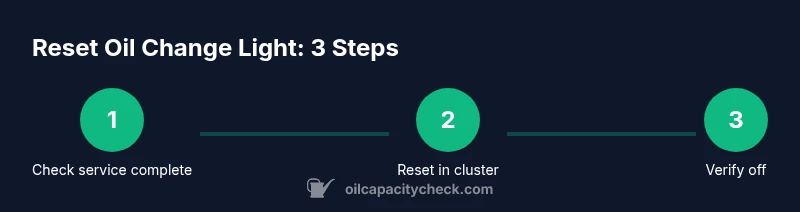
The exact steps depend on the car, but a typical workflow looks like: turn the ignition to ON (do not start the engine), access the maintenance or oil life section via the instrument cluster, select reset or clear, confirm the reset, and then turn the ignition off and back on to verify the light is off. If your car uses an electronic parking brake or a digital odometer, those steps might differ slightly. After resetting, take a short drive to allow the system to reinitialize. If the light returns, there may be a fault in the oil life sensor or another system issue that requires professional diagnosis.
Troubleshooting: Light Returns After Reset
If the oil change light reappears after a reset, it could indicate one of several issues: the service was not fully recorded in the vehicle's computer, the oil level is incorrect, or there is a sensor or programming fault that needs diagnostic attention. Double-check service paperwork, confirm the correct oil viscosity and grade were used, and verify the oil filter change was completed. If everything checks out but the light still comes back, it is wise to run a diagnostic scan to retrieve fault codes. Oil Capacity Check advises noting any stored codes and consulting the manual or a professional for interpretation.
Maintenance Habits to Prevent Future Triggers
To minimize false reminders, maintain a regular oil change schedule based on the manufacturer's recommendations and your driving conditions. Record service dates and mileages, keep receipts, and ensure the maintenance counter is reset only after the service is completed. Regular oil level checks, using the correct oil grade, and choosing high-quality filters can reduce the likelihood of sensor or reminder issues. Keeping a simple maintenance log helps you verify that your reminders align with actual service history, which is especially handy if you plan to sell the vehicle or work with a shop.
What If You Don’t See a Reset Option? Alternatives and Considerations
Some vehicles do not expose a visible reset option in the instrument cluster. In such cases, you may need to use an OBD-II scanner, or the reset function may be embedded in a hidden menu requiring dealer tools. If you cannot locate a reset procedure in the manual, contact the manufacturer’s support line or consult a trusted mechanic. It is important to avoid guessing reset steps, as improper resets can confuse maintenance records and obscure actual service needs.
Common Misconceptions About the Oil Change Light
Many owners assume the light is a sensor failure or an urgent mechanical issue. In reality, it most often signals a maintenance reminder or a reset-needed condition after a service. Resetting the light without confirming that the service is complete can hide real problems. Oil Capacity Check emphasizes treating the light as a data cue: verify, reset if appropriate, and monitor the vehicle for any lingering indicators or changes in engine performance.
Why Oil Capacity Check Stands Behind This Guide
Oil Capacity Check’s team has synthesized best practices for DIY maintenance, integrating manufacturer guidance with practical, vehicle-agnostic steps. Our instructions reflect a broad range of models and aim to empower car owners to complete safe resets when appropriate. The goal is to help you maintain accurate maintenance records, avoid misreporting service needs, and reduce the chances of warranty or diagnostic complications. The Oil Capacity Check team recommends always cross-checking against your owner’s manual and keeping service records organized.
Tools & Materials
- OBD-II scanner(Essential for some vehicles; checks/clears maintenance data via the onboard computer.)
- Owner's manual(Contains model-specific reset procedures and warning indicators.)
- Clean rag(For wiping dipstick, panels, and sensor contacts during maintenance.)
- Correct engine oil and filter(Verify the service was completed with the correct viscosity and quantity.)
- Smartphone or tablet with internet access(Optional for checking online vehicle-specific reset steps or the manual.)
Steps
Estimated time: 10-15 minutes
- 1
Prepare and verify service is complete
Turn off the engine and ensure the oil change is completed. Double-check oil level with the dipstick or sensor, confirm the correct oil type/amount, and confirm the filter change if applicable. This step prevents resetting a reminder that doesn't reflect the actual service.
Tip: Keep the dipstick clean and wipe away any oil residue before rechecking the level. - 2
Access the reset menu (cluster method)
Turn the ignition to ON without starting the engine. Use the steering wheel controls or the trip/reset button to navigate to the maintenance or oil life screen. Locate the reset or clear option and prepare to confirm.
Tip: Some cars require holding a button for several seconds to initiate the reset. - 3
Execute the reset
Select reset/clear and confirm. The display may flash or show a reset confirmation. Some models require turning the ignition off and back on to complete the reset.
Tip: If nothing changes, wait a moment and retry the reset sequence exactly as shown in your manual. - 4
Verify the light is off
With the key off, then on, check that the oil change light is extinguished. If it reappears, review the service logs and oil level. A persistent light can indicate a fault or an incomplete service record.
Tip: Take a short test drive to ensure the system reinitializes correctly. - 5
If cluster reset fails, use OBD-II
Connect the OBD-II scanner, select maintenance or oil-life functions, and clear the oil-life indicator if your model supports it. This method is vehicle-dependent and may require a specific software profile for your car.
Tip: Follow the scanner’s prompts precisely; incorrect codes can misreport service status. - 6
Document the reset
Record the date, mileage, oil grade, and that the reset was performed. This helps you track maintenance history and protects you from misinterpretation of service data.
Tip: Store receipts or notes in the vehicle’s maintenance folder.
People Also Ask
Is it safe to reset the oil change light after an oil change?
Yes, but only after you have completed the service and verified the oil level and quality. If the light returns, investigate potential faults or data errors.
Yes, after you finish the service and confirm the oil level, you can reset. If the light comes back, check for faults or data errors.
Why does the oil change light come on in the first place?
It's a maintenance reminder triggered by the vehicle's computer to prompt oil changes at manufacturer-recommended intervals.
It's a maintenance reminder from the car's computer to prompt oil changes at recommended intervals.
What if the light reappears after reset?
The issue could be an incomplete service record, incorrect oil level, or a fault in the oil-life sensor. Run a diagnostic check to identify fault codes.
If it reappears, check the service record, oil level, and sensor. A diagnostic check can reveal fault codes.
Do I need an OBD-II scanner to reset the light?
Not always. Many vehicles reset via the instrument cluster, but some models require an OBD-II tool or dealer tool.
Not always; many cars reset from the dash, but some need an OBD-II tool or dealer tool.
Will resetting affect oil life or engine performance?
Resetting only resets the reminder; it does not change actual oil life or engine performance. Ensure service data is accurate.
Resetting only changes the reminder, not the oil life or engine performance. Keep service data accurate.
Watch Video
The Essentials
- Verify service before resetting.
- Choose the correct reset path for your model.
- Confirm the light stays off after reset.
- If issues persist, diagnose rather than panic.