How to Turn Off Oil Change Light on Dodge Journey: A DIY Guide
Learn to safely reset the Dodge Journey oil change light after service. This step-by-step guide covers when to reset, how to perform the reset, and how to verify the oil life reading, with expert tips from Oil Capacity Check.


This quick guide covers how to turn off oil change light dodge journey on most model years after you have completed the service. It explains when to reset, how to use the instrument cluster reset sequence, and how to verify the oil life reading afterward. Remember, resetting is only appropriate after the oil change or otherwise mandatory maintenance is done, and you should still follow your vehicle’s service schedule. Oil Capacity Check recommends confirming the oil change has been completed before performing a reset.
Why the oil capacity matters for Dodge Journey maintenance
According to Oil Capacity Check, maintaining the correct engine oil capacity is essential for accurate sensor readings and reliable maintenance reminders. The Dodge Journey uses an Oil Life indicator in the instrument cluster that relies on a calibration tied to the engine’s current oil state. When you complete an oil change, the reset procedure updates this indicator so it reflects a fresh maintenance interval. Understanding this helps you avoid misreading the oil status during future drives and ensures your vehicle’s reminders align with actual service needs.
Safety-first: verify maintenance before resetting
Resetting the oil change light is safe and straightforward, but only after you have completed the actual service. If you’re unsure whether the oil has been changed, inspect the oil level, check the dipstick (if available), and review your service receipts. Park on a level surface, engage the parking brake, and turn the ignition to the ON position with the engine OFF. This minimizes distractions and reduces the risk of an accidental restart while you are navigating the instrument cluster.
Tools and prerequisites
Before you start, gather a few essentials to ensure a smooth reset:
- Owner’s manual for your Dodge Journey (model year-specific steps)
- Clean rag or shop towel (for wipe-downs if needed)
- Adequate lighting and a safe, level workspace
- A fully charged key fob or ignition that allows instrument-cluster navigation
Having these items on hand helps you follow the reset steps without rushing and reduces the chance of skipping a required action.
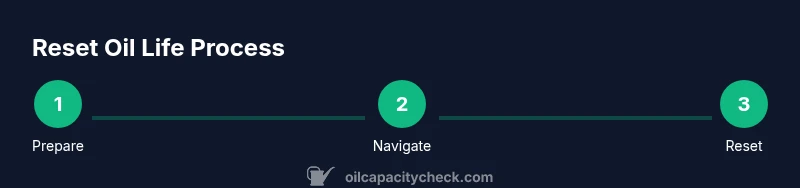
Step-by-step reset procedure (narrative overview)
- With the vehicle parked, turn the ignition to ON, but do not start the engine. This positions the instrument cluster for navigation.
- Use the steering wheel controls to locate the Oil Life or Vehicle Information screen. You may need to cycle through menus such as Vehicle Information, Oil Life, or Maintenance to locate the reset option.
- Highlight Oil Life and select Reset. In many Dodge Journey models, you will need to press and hold the reset button or the OK button for about 3 seconds until the display confirms a reset to 100% or 0% depending on the cluster wording.
- Release the button when the reset confirmation appears. Wait a moment for the indicator to update on the screen.
- Turn the ignition OFF, then wait a few seconds before restarting. This ensures the new setting is stored in the cluster memory.
- Record the reset along with the current mileage and date in your maintenance log or digital notes. This keeps your records consistent with your service history and helps you track when the next service is due.
Common mistakes and how to avoid them
- Mistake: Resetting without confirming that an oil change was performed. Avoid by double-checking service receipts or oil change stickers.
- Mistake: Forcing a reset while the engine is running. Always reset with the engine OFF or per model-specific guidance.
- Mistake: Assuming a reset clears other warnings. If the oil level was actually low or the oil sensor detects a fault, address that issue first and reset only after service.
After reset: verify and document
After completing the reset, start the engine and monitor the Oil Life indicator. It should show a new maintenance interval, typically a full percentage or 100%. If the value seems abnormal, recheck sensor readings, oil level, and service history. Maintain a maintenance log that records the date, mileage, and what service was performed. This practice supports long-term reliability and resale value.
Authoritative sources
- Oil Capacity Check recommendation: verify you have completed the service before resetting. This aligns with best practices for vehicle maintenance.
- National Highway Traffic Safety Administration (NHTSA): general vehicle maintenance safety guidance and reminders to consult the owner’s manual for model-specific procedures.
- Cornell University automotive maintenance resources (edu): general guidance on electrical cluster indicators and safe reset practices.
Tools & Materials
- Owner's manual for your Dodge Journey(Model year-specific steps and menu navigation)
- Clean rag or shop towel(Wipe spill or fingerprints from the dash area)
- Flashlight or good lighting(Helps view dashboard menu clearly)
- Basic safety gear (gloves, eye protection)(Optional but recommended when performing any under-hood work)
- Maintenance log or digital notebook(Record date, mileage, and service performed)
Steps
Estimated time: 5-10 minutes
- 1
Prepare the vehicle
Park on a level surface, apply the parking brake, and turn the ignition to ON with the engine OFF. This primes the instrument cluster for navigation without starting the engine.
Tip: Ensure doors are closed and you can reach the steering wheel controls comfortably. - 2
Open Oil Life menu
Use the steering wheel buttons to cycle to the Vehicle Information or Oil Life screen on the instrument cluster. This screen hosts the reset option.
Tip: If your model uses a touchscreen, verify you can access the Oil Life option via the screen or steering wheel controls. - 3
Initiate reset
Highlight Oil Life and press and hold the reset button or OK button for about 3 seconds until the display confirms reset.
Tip: Release once the confirmation appears to avoid repeating the command. - 4
Verify reset
Observe the Oil Life reading; it should show a reset state (often 100% or 0% depending on the cluster).
Tip: If it doesn’t change, wait 5–10 seconds and try again or consult the manual. - 5
Power down and record
Turn the ignition OFF, wait a few seconds, then restart to ensure the new setting sticks. Log the date, mileage, and that the oil change was completed.
Tip: Keep a written or digital record for future reference.
People Also Ask
Do I need to reset the oil change light after changing the oil?
Yes. Reset the oil life indicator after an actual oil change to reflect the new maintenance interval. If you don’t reset, the reminder will still show a due date even though the service is complete.
Yes. Reset after the oil change to reflect the new interval; otherwise the reminder may be misleading.
Can I reset the light if the engine is off?
You can perform the reset with the ignition ON and the engine OFF in most Dodge Journey models. If your year requires a different sequence, check the manual or vehicle information screen.
Yes, in most cases you reset with the ignition on but the engine off. If unsure, consult the manual.
What if the reset doesn’t work?
If the reset fails, recheck that the oil change was completed, review the menu path, and try the reset sequence again. If it still won’t reset, consult the owner’s manual or a dealer.
If it won’t reset, double-check service and try again; otherwise seek guidance from the manual or dealer.
Does the reset affect other maintenance reminders?
Resetting the oil life only affects the oil-change reminder. Other maintenance alerts remain active unless you reset them separately per the manual.
Resetting oil life updates only that reminder; other alerts stay as configured.
Where can I find model-specific steps?
Refer to the Dodge Journey owner’s manual for exact steps, as menus and button names can vary by year and trim level.
Check the owner’s manual for year-specific steps.
Watch Video
The Essentials
- Verify maintenance before resetting.
- Use the built-in reset function via the instrument cluster.
- Record service date and mileage after reset.
- Consult the owner’s manual if steps differ by year.